Downloads

Are you new to arcade emulation? Do you have no idea what to do on this page to download the game and play it? I have you covered! Check out my detailed step-by-step guides:
 How to play D&D Arcade on Windows
How to play D&D Arcade on Android
How to play D&D Arcade on Windows
How to play D&D Arcade on Android
 Emulation
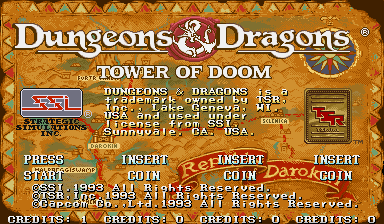
Dungeons & Dragons: Tower of Doom
The awesome game that started it all! This download contains the following:
- ddtod (Euro 940412)
- ddtodar1 (Asia 940113)
- ddtoda (Asia 940412)
- ddtodr1 (Euro 640113)
- ddtodd (Euro 640412 Phoenix Edition) (bootleg)
- ddtodhr2 (Hispanic 640113)
- ddtodhr1 (Hispanic 940125)
- ddtodh (Hispanic 940412)
- ddtodjr2 (Japan 640113)
- ddtodjr1 (Japan 640125)
- ddtodj (Japan 940412)
- ddtodur1 (USA 640113)
- ddtodu (USA 940125)
Note: Extract “DD_Tower_of_Doom_ROMs.zip” from its zip file, but don't extract “ddtod.zip”, “ddtodar1.zip”, etc.!
Download
33.5 MB
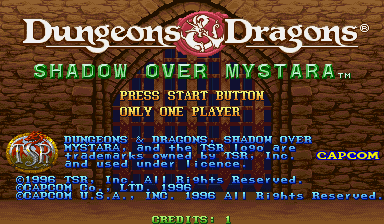
Dungeons & Dragons: Shadow Over Mystara
The awesome 'sequal' to Tower of Doom. This download contains the following:
- ddsom (Euro 960619)
- ddsoma (Asia 960619)
- ddsomb (Brazil 960223)
- ddsomr3 (Euro 960208)
- ddsomr2 (Euro 960209)
- ddsomr1 (Euro 960223)
- ddsomh (Hispanic 960223)
- ddsomjr1 (Japan 960206)
- ddsomj (Japan 960619)
- ddsomur1 (USA 960209)
- ddsomud (USA 960619 Phoenix Edition) (bootleg)
- ddsomu (USA 960619)
Note: Extract “DD_Shadow_Over_Mystara_ROMs.zip” from its zip file, but don't extract “ddsom.zip”, “ddsoma.zip”, etc.!
Download
33.5 MB
 Note: 4-players in Mystara
By default, Dungeons & Dragons: Shadow Over Mystara only offers up to 2 players. I have directions on how to enable 4 players in the About section.
 Tower of Doom & Shadow Over Mystara for Arcade
Tower of Doom
Shadow Over Mystara